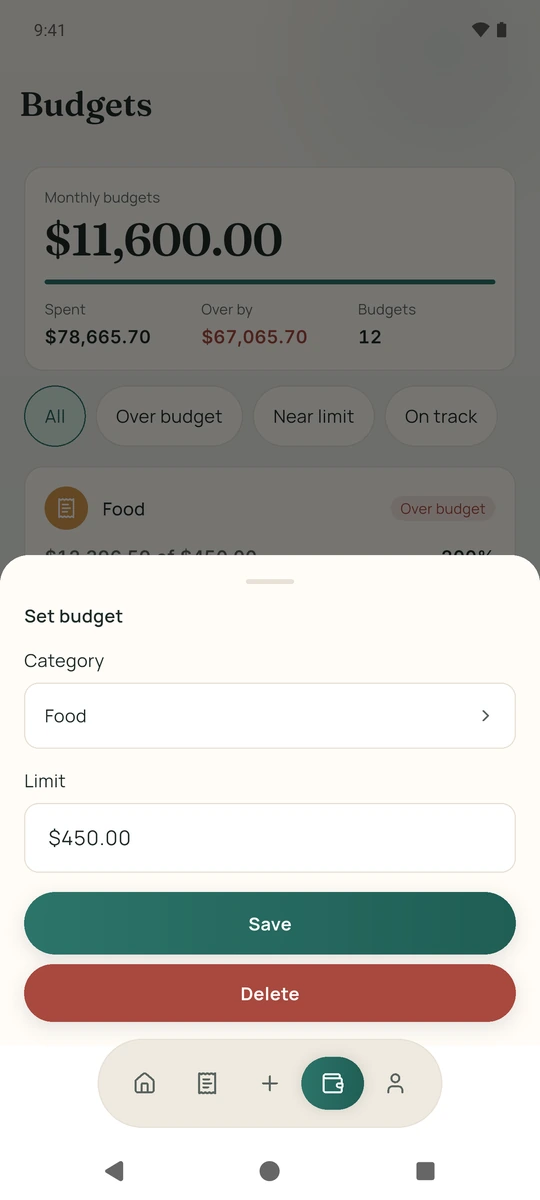
Per-category limits
One-tap category suggestions when you set a budget; the app skips categories that already have one.
Everything DayHub does
DayHub ships a complete core set free, on every phone. Free covers 2 active groups with up to 5 members each, 3 budgets, 3 manual recurring templates and 6 months of history — adding expenses is always free. Here is exactly what is inside.
One ledger your whole household records into — with member badges on every entry, so “who spent this?” is never a mystery.
Family, roommates, couple, friends trip, event or custom — each with sensible starter categories seeded automatically.
Owners manage everything, editors record and invite, viewers read along — enforced by the server, not just hidden buttons.
Every expense shows the initials of who logged it. The Members screen lists everyone and lets you leave any time.
A 6-character code (no confusing I, O, 0 or 1) that expires on your schedule — from 1 hour up to 30 days.
Members enter the code (or open a dayhubexpenses://redeem link) and land straight in the shared ledger.
Revoke invites any time; owners can remove members or hand off responsibility by leaving last.
Every invite code carries a ready-to-send message — share it to any chat app and the code travels with the instructions.
Trip chatter blowing up your notifications? Mute alerts per group while keeping every other household loud.
When the trip is over, owners close it to read-only history — it stops counting toward free group limits and can reopen any time.
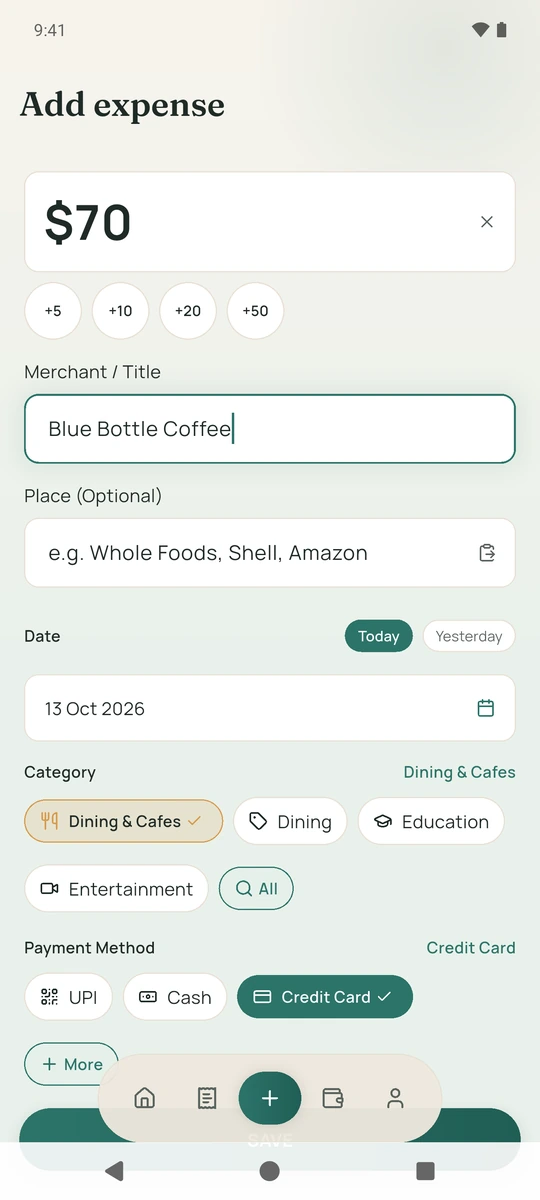
Paste-safe amount field, payment method, date and category — with friendly warnings instead of silent truncation.
Reusable custom tags with a springy pop on select — long-press to remove, add your own any time.
Today, Yesterday, then clean month cards with sticky month pills and running totals as you scroll.
Case-insensitive search across titles and merchants, plus category, date-range and payment-method filters.
Familiar gestures with confirmation on destructive taps — duplicates reuse the normal save path.
A home-screen widget that deep-links straight into the add-expense form.
Shared or personal, paid-by anyone, with equal splits free — shares and percent splits unlock with DayHub Plus — plus a one-tap rent split and structured tip/VAT/GST instead of scribbled notes.
Set a monthly limit per category. DayHub keeps Home and Budgets on the same math, so numbers never disagree.
One-tap category suggestions when you set a budget; the app skips categories that already have one.
A gentle notification the moment any category crosses 80% of its monthly limit — before it breaks.
Filter chips — All, Over budget, Near limit, On track — plus a summary of spent vs remaining across the month.
Rent, subscriptions, insurance — turn fixed costs into templates and stop re-typing them every month.
Templates with smart next-due labels: “Due today”, “Due in 4 days”, “Due on the 3rd (Oct 3)”.
Your monthly fixed expenses totalled as ≈ amount/mo (estimate) — honest about being an estimate.
Opt-in per template. Due bills materialise as real expenses — in-app, and on Android even in the background every 6 hours.
A heads-up notification the day before a recurring bill is due, if you asked for one.
Monthly anchors clamp to short months and skip past dates — your schedule stays sane through February.
Auto-log is opt-in for every template; deleting a template cleans up its preference automatically.
DayHub was designed offline-first — not “needs internet sometimes”. Every feature works on a plane; sync is the quiet part.
A fast on-device SQLite store keeps every expense, budget and template available instantly, connection or not.
Your entries appear immediately and sync in the background — never a spinner between you and your ledger.
Pending changes queue locally with polite backoff when the server is busy, then drain the moment you are online or return to the app.
A small status pill shows what is waiting; tap it to see the exact queue and retry instantly.
Versioned writes and idempotent IDs mean double-taps, flaky Wi-Fi and offline edits reconcile without duplicates.
Custom categories created by one member appear for everyone — local truth, mirrored best-effort.
Food, Housing, Utilities, Transport, Entertainment, Shopping, Health and Income come seeded — add anything else and it syncs to the household.
Switch any time in Settings — amounts re-render instantly with proper symbols and grouping.
Use the free feature set offline with no account, no sign-in, nothing sent anywhere — and no ads at all.
No extra passwords to leak. Tokens live in the OS-level secure store (Keystore / Keychain).
All server traffic is encrypted and authorised per household membership.
Guest-safe CSV, JSON and PDF exports of your ledger via the share sheet — your data is portable.
Delete your account and server-side data from Settings — no email, no waiting period. If you own a household that still has other members, transfer ownership or remove them first.
Versioned Privacy Policy and Terms, reviewed and accepted in-app — read them here.
Follows your system automatically, with a calm palette tuned for both appearances.
A 1.3× text multiplier across the whole app — bigger numbers where it matters.
Off, Subtle, Medium or Crisp tactile feedback on taps, saves and deletions — your call.
Your first sign-in walks through theme, currency, a reminder choice and the Privacy Policy — nothing is decided for you. More detail in the FAQ.
Every animation respects your system’s reduced-motion setting.
Labelled controls, header semantics and announcements — built to WCAG AA contrast gates.
Fine-grained switches for budget warnings, recurring reminders and member activity.
DayHub is free because of advertising shown to signed-in accounts — and you hold clear, honest controls over it.
Review Google's privacy choices any time in Settings → Ads → Manage ad personalization. Consent runs before any ad loads where required.
Google’s consent dialog (UMP) runs first where required; nothing loads before you answer.
Watch one optional rewarded ad and enjoy a full day with zero ads — clock-tamper proof.
A single banner above the tab bar on main screens — never on the add-expense form or in Settings.
Occasional full-screen ads between saves are frequency-capped, and app-open ads skip widget launches.
Ads come from Google AdMob; your expense data is never shared with advertisers. Details in the Privacy Policy.
Advertising only ever appears for signed-in accounts — browsing as a guest is completely ad-free.
Optional paid features are being prepared, but purchases are not available yet. The in-app paywall reports purchases as temporarily unavailable until Google Play products and server verification are ready. The feature list and offers may change; details will be published once confirmed.
Planned; feature details will be confirmed if and when paid purchases become available. Payments happen outside the app.
Referral rewards are not currently available. Any future reward terms will be published before launch.
PDF export is not currently available. Any future export options will be described when confirmed.
Shares and percent splits are planned for a future paid offer; availability and details are not yet confirmed.
Trip archive availability and details are not yet confirmed.
Additional themes are not currently available; plans may change.
Paid ad removal is planned but not currently available. Signed-in users may choose the 24-hour rewarded ad-free pass; guests do not see ads.
Paid subscriptions are not currently available.
$0
Every core feature — shared ledger, budgets (up to 3 per household), manual recurring bills (up to 3 templates), offline sync, CSV/JSON export, guest mode. Free covers 2 active groups with up to 5 members each; adding expenses is always free.
Signed-in accounts see ads; guests are ad-free. A rewarded ad grants 24 hours ad-free, and DayHub Plus removes ads.
Not available yet
Optional paid features are being prepared; the final feature set and offer may change.
Offer, trial, price and cancellation details will be published when purchases launch.
The core feature set is available today. Optional paid offers are not available yet.
Get it onGoogle Play