One shared household ledger
Everyone records into the same ledger. Each entry carries a member badge, so you always know who spent what — no screenshots, no arguments at month-end.
Free · Android · Offline-first
DayHub is the expense tracker built for real households — families, roommates, couples and trips. One shared ledger, budgets that warn you before they break, and zero financial anxiety.
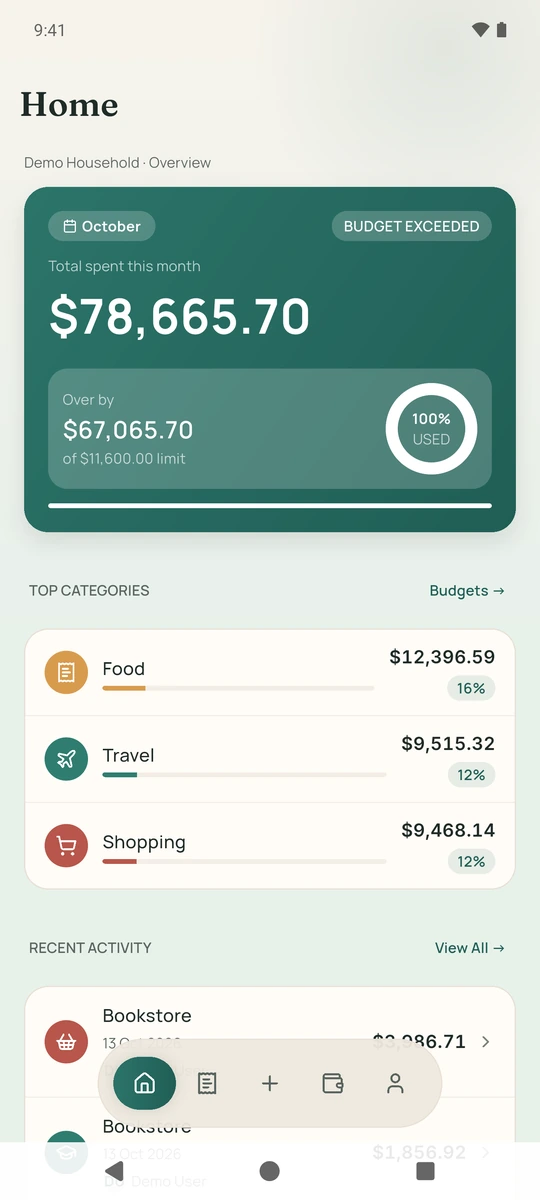
Everyone records into the same ledger. Each entry carries a member badge, so you always know who spent what — no screenshots, no arguments at month-end.
Your data lives on your device in a local database. Log expenses in a basement or on a flight; sync happens quietly when the network returns.
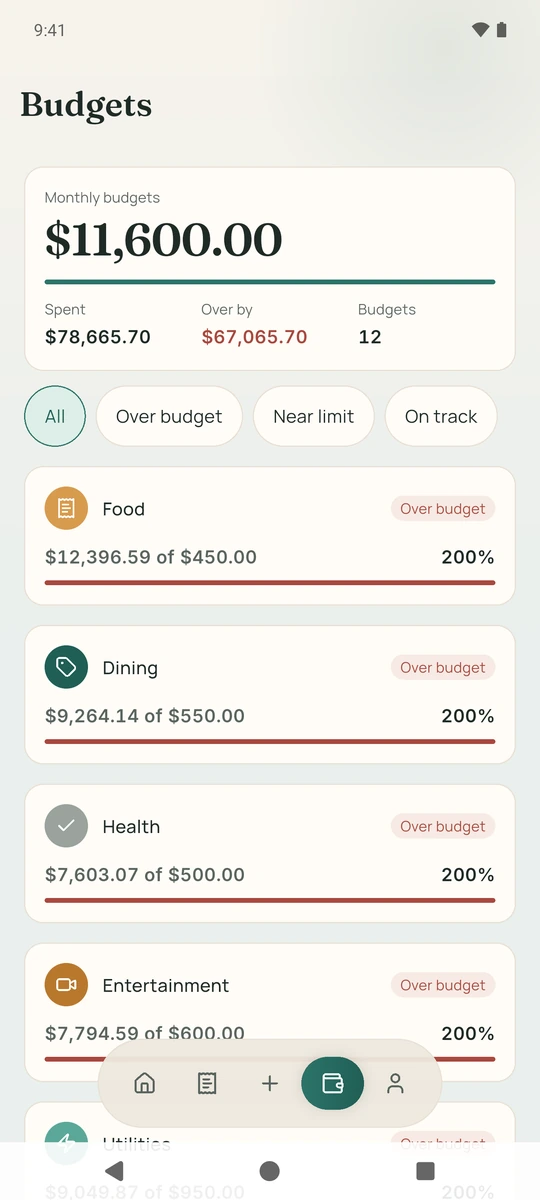
Set a monthly limit per category and watch calm progress bars — not red alarms. A gentle reminder arrives the moment a category crosses 80% of its budget.
Local-first storage, Google sign-in, encrypted HTTPS sync, and one-tap account deletion. We never sell your personal or financial data.
Family, roommates, couple, friends trip, event or custom — pick a type, name it, and DayHub seeds sensible starter categories.
Generate a single-use 6-character code (valid from 1 hour up to 30 days) and send it over any chat. No emails, no account linking.
Members redeem the code and land in the same ledger with the right role — owner, editor or viewer. Every entry is badged with its creator.
Paste-safe amount fields, custom quick-note tags and payment methods — logging an expense takes seconds.
Rent, subscriptions, utilities — templates with due dates that can log themselves, plus a day-before heads-up.
A sync pill shows exactly what is waiting, with instant retry. Conflicts resolve themselves, safely.
Eight sensible defaults plus unlimited custom categories, shared across the household automatically.
One tap produces a clean CSV, JSON or PDF yearly report of your ledger — perfect for taxes, splits or archiving.
Dark mode, Senior Text Mode, adjustable haptics and reduced-motion support — calm for every pair of eyes.
Privacy, plainly
DayHub stores your entries on your device first and syncs household data over HTTPS when you sign in. We never sell personal or financial data. Ads are shown to signed-in accounts only — guests see none. Signed-in users can manage Google's ad-consent choices or choose a rewarded 24-hour ad-free pass. Paid ad-free options are planned but not currently available. Read the full Privacy Policy.
$0
Free accounts can use 2 active groups with up to 5 members each, 3 budgets per household, 3 manual recurring templates and 6 months of expense history. Offline sync, CSV/JSON export and guest mode are included; adding expenses is always free.
Signed-in accounts may see ads; guests are ad-free. Signed-in users can manage Google's ad-consent choices or choose a rewarded 24-hour ad-free pass.
Planned
Optional paid features are being prepared. Purchases are not available yet; feature and offer details will be published once confirmed.
Yes. Free accounts can use 2 active groups with up to 5 members each, 3 budgets per household, 3 manual recurring templates and 6 months of expense history. Offline sync, CSV/JSON export and guest mode are included, and adding expenses is always free. Optional paid features are planned, but purchases are not available yet.
DayHub Plus purchases are not available yet. The in-app paywall reports purchases as temporarily unavailable until Google Play products and server verification are ready. Confirmed offer, trial and cancellation details will be published when purchases launch.
No. Guest mode uses the full free feature set with no account, no sign-in and no paywall prompts at all. DayHub Plus is only relevant for signed-in accounts that want the extra features.
A short guided setup: pick your theme and currency, choose which reminders you want, and review the Privacy Policy. It takes under a minute, and every choice can be changed later in Settings.
Completely. Every expense, budget and recurring template is stored on your device first. You can track everything with no connection; DayHub syncs to your shared household ledger automatically once you are back online.
Create a household (family, roommates, couple, trip, event or custom), then share a single-use 6-character invite code. Members who redeem it join the same ledger, and every entry shows who added it.
When you leave, your entries stay in the household ledger and your access ends. If you are not the owner, account deletion removes your membership but existing household entries remain. If you are the sole-member owner, deleting your account also deletes that household and its data. An owner with other members must transfer ownership or remove them first; otherwise deletion is refused.
Never. DayHub is local-first: your data lives on your device and syncs only to your household's private database. We do not sell, broker, or share personal or financial data with advertisers.
Eleven display currencies: AUD, CAD, CHF, CNY, EUR, GBP, INR, JPY, NZD, SGD and USD — switchable any time in Settings.
Everyone logs into one shared ledger, every entry is badged with the member who added it, and each category can carry its own monthly budget — so the numbers agree on every phone and there is nothing to reconcile at month-end.
Yes. Create a “Friends trip” (or “Event”) household, share the single-use invite code in your group chat, and everyone records into the same ledger — perfect for split costs on holidays and weekends away.
No. DayHub never links to your bank. Entries are recorded by you — or auto-logged from recurring templates you define — so your financial accounts stay completely separate from the app.
Any time. One tap produces a clean CSV, JSON or PDF yearly report export of your ledger via the share sheet — handy for taxes, splits or keeping an archive. It works even in guest mode.
DayHub ships on Android first. An iOS release is on the roadmap; follow mayanktaker.com for announcements.
Download DayHub, create your household, and invite everyone in under a minute.
Get it onGoogle Play